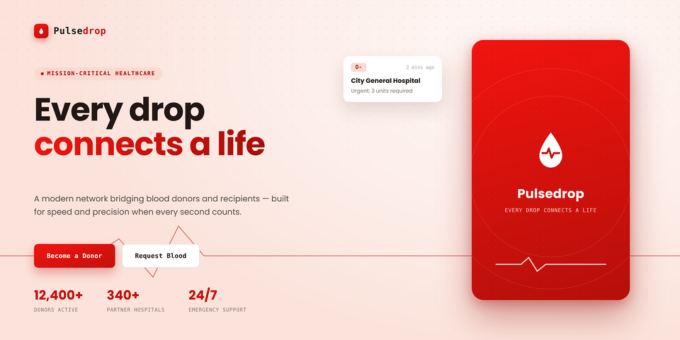
Overview:
PulseDrop AI is a full-stack blood donation management system and donor finder platform built with Next.js, React, and MongoDB. It connects blood donors with people who urgently need blood - in real time. Whether you're building a blood bank web app, an emergency blood request system, or a community health SaaS platform, PulseDrop AI gives you a production-ready foundation: donor search by blood group and city, live emergency broadcasts, secure in-app messaging, and a built-in AI health assistant - all backed by JWT authentication and a serverless architecture that's easy to deploy and customize
Key Features:
- JWT Authentication - Secure, stateless login with bcrypt-hashed passwords
- Smart Blood Donor Search - Filter donors by blood group and city with live results and detailed profile cards
- Emergency Blood Request Broadcasts - Post urgent requests with urgency levels (Critical / Urgent / Normal) that instantly notify all compatible donors
- In-App Messaging System - Private conversation threads between donors and recipients, with email notifications and unread-count tracking
- Protected Routes & API Security - Client-side route guarding plus server-side authentication enforced on every API endpoint
- Donor Profile & Availability Control - Users toggle their donor availability and control visibility of their phone number
- Fully Responsive Design - Mobile-first UI built with Tailwind CSS v4, works on every device
- AI Health Assistant - Context-aware chat powered by Groq and LLaMA 3, answering blood donation eligibility and post-donation care questions in real time
- Interactive Onboarding Tour - Guided walkthrough built with driver.js that introduces new users to the dashboard and core features
Tech Stack:
- Frontend: Next.js 16, React 19, Tailwind CSS v4, Lucide React icons, Axios
- Backend: Next.js API Routes (serverless), Mongoose ODM, bcrypt, JSON Web Tokens (JWT)
- Database: MongoDB Atlas (Free M0 tier supported) or self-hosted MongoDB
- AI: Groq API (LLaMA 3 model) for the in-app AI Assistant
- Email: Resend API for message-notification emails
Requirements:
- Node.js v18.17.0 or higher
- npm v9.0.0 or higher
- Git v2.30 or higher
- MongoDB Atlas (Free M0 tier) or local MongoDB v6+
- A Groq API key (free at console.groq.com) - powers the AI Assistant
- A Resend API key (resend.com) - sends message-notification emails
Installation:
- Extract the package and run
cd pulse-drop npm installto install dependencies- Copy
.env.exampleto.env.localand fill in your MongoDB URI, JWT secret, Groq key, and Resend key npm run devto start the development server- Open
http://localhost:3000to see PulseDrop AI running
Live Demo & Documentation:
- ? Live Demo: https://pulse-drop.sumsols.com/
- ? User Guide: https://pulse-drop-user-documentation.sumsols.com/
- ? Full Documentation: https://pulse-drop-documentation.sumsols.com/
- ? Demo Credentials:
demo@pulsedrop.app/Demo@1234