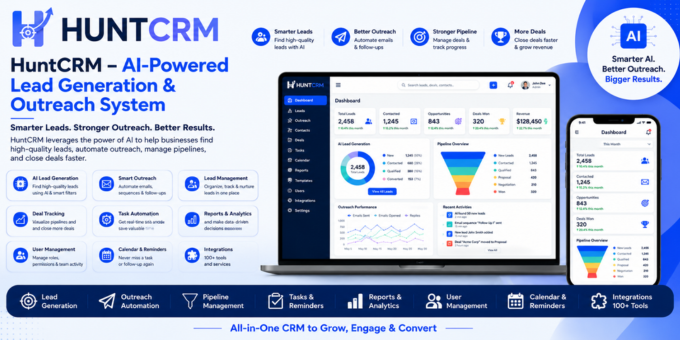
Overview
Hunt CRM is a self-hosted, niche-centric lead prospecting and outreach CRM built on Laravel 13, now with a built-in AI Assistant. It helps sales teams, freelancers, agencies, and outreach specialists find prospects, organize them by audience niche, track every conversation, manage follow-ups, and close deals - all from one clean, modern dashboard.
Ask the AI Assistant anything about your pipeline, tasks, or team - it answers using your real account data and gives on-demand sales advice, right from any page.
Whether you hunt leads on LinkedIn, Instagram, WhatsApp, or email, Hunt CRM keeps your pipeline visible, your team aligned, and your follow-ups on schedule.
? Live Demo: https://hunt-crm.composerforce...
? Documentation: https://huntcrm-documentation....
?User Documentation : https://huntcrm-user-documenta...
admin@example.com |
|
| Password | 12345678 |
HuntCRM is a modern and powerful Customer Relationship Management (CRM) solution built with Laravel 13, featuring a built-in AI Assistant. It helps businesses manage customers, leads, sales activities, tasks, and daily operations through an intuitive and user-friendly dashboard.
Features:
- Modern CRM built with Laravel 13
- Built-in AI Assistant (Groq-powered)
- Lead & Customer Management
- Sales Pipeline Management
- Task & Follow-up Management
- Role & Permission Management
- Dashboard with Analytics
- Responsive Design
- Secure Authentication
- Easy Installation
- Clean & Well Documented Code
Requirements:
- PHP 8.3 or higher
- Laravel 13
- MySQL 5.7+ or MariaDB 10.2+
- Composer 2.x
- Apache or Nginx
- Groq API Key (free, optional - only needed for the built-in AI Assistant)
Installation:
- Extract the downloaded ZIP file.
- Upload all project files to your web server.
- Run "composer install" to install PHP dependencies.
- Create a MySQL database and import the provided SQL file (if included).
- Copy the
.env.examplefile to.envand update the database credentials. - Run the following commands:
php artisan key:generate
php artisan migrate --seed
php artisan storage:link
php artisan optimize:clear
Set the document root to the public directory.
Login:
Use the administrator account created during installation or the default demo credentials (if provided).