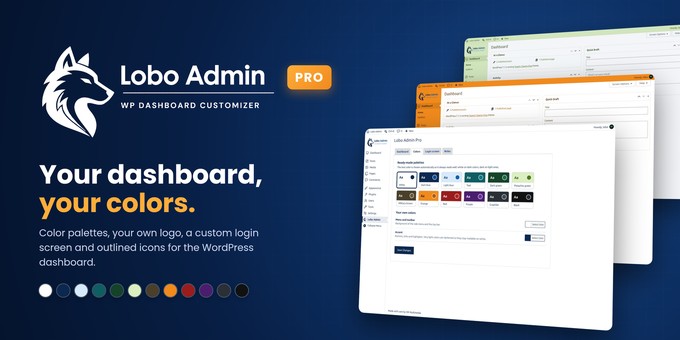
Lobo Admin Pro turns the WordPress dashboard into a clean, branded workspace for you and your clients.
Choose one of the 12 color palettes or set your own menu and accent colors: the text switches between white and dark automatically so it is always readable. Put your logo above the admin menu, remove the WordPress logo from the toolbar and write your own footer text.
The login screen gets the same care: your logo, its width, a background color or image, and the button color.
For client sites, the Roles tab lets you hide admin notices and any menu or submenu for each user role, so every user sees only what they need. It only hides items: it never changes user permissions.
Everything is set from one settings page with tabs, with no code.
Features
- 12 ready-made color palettes
- Custom menu, toolbar and accent colors with automatic text contrast
- Your own logo above the admin menu, with an automatic white version for dark menus
- Remove the WordPress logo from the toolbar
- Custom footer text in the dashboard
- Login screen: logo, logo width, background color or image, button color
- Hide admin notices by user role
- Hide any menu or submenu by user role
- Works with the block editor
- Translation ready
Requirements
- WordPress 6.5 or higher
- PHP 7.4 or higher
Installation
- In your dashboard, go to Plugins > Ai>
- Choose the lobo-admin-pro.zip file and
- Activate the plugin.
- Open Lobo Admin in the admin menu and set your palette, logo, login screen and roles.
- Save the changes. Your settings are kepn.
Lobo Admin Pro is the full version of OK on WordPress.org: