
? Video Preview Note
See SplitSlider in action: https://www.youtube.com/watch?v=6Xb10uUA7Ng Note: The video shows the original version. The current version has been upgraded to a modern JavaScript Class with automatic HTML detection, making it easier to set up.
Features
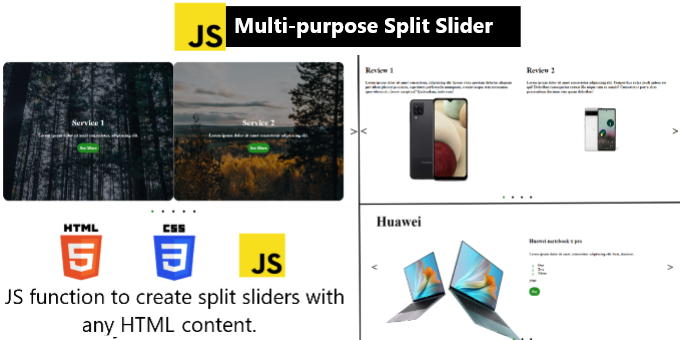
SplitSlider allows you to create stunning, responsive split-screen sliders. You can easily add any HTML elements—images, text, icons, or buttons—to both the left and right sides of each slide. It is lightweight, flexible, and features smooth animations with both navigation buttons and progress dots.
What’s New:
-
Modern Class Structure: Now initialized via
new SplitSlider()for better code management and multi-slider support. -
Direct HTML Detection: No more passing complex JavaScript arrays. Simply structure your content in HTML, and the slider captures it automatically.
What’s in the box?
-
splitSlider.js&splitSlider.css -
example.html&example.css(Ready-to-use templates) -
Clear README instructions.
Quick Setup:
-
Files: Add
splitSlider.jsandsplitSlider.cssto your project. -
HTML: Create a container with nested
divtags for your left and right content.- Main Container: The parent element.- Direct Child: Each one represents one full slide.- Inner Child 1: The first child inside a slide represents the slide left side.- Inner Child 2: The second child inside a slide represents the slide right side.- The 2 Inner Children's Content: Everything inside those two inner child elements (images, titles, buttons) is treated as the content of the slide left/right side. -
JS: Call
new SplitSlider(".container").
$10


| Last Update | 22 Dec 2025 |
| Created | 20 Jul 2023 |
| Package Includes | JavaScript JS, HTML, CSS |
| File Size | 12.3 MB |
Report This File

