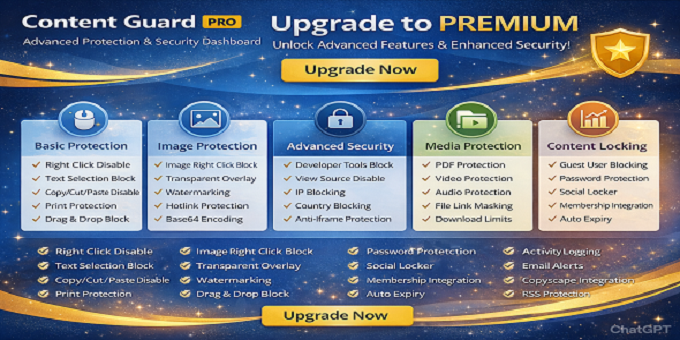
Protect Your WordPress Content with Advanced Security Features
DesheeLabs Content Guard is a comprehensive WordPress plugin designed to protect your website content from unauthorized copying, theft, and misuse. With over 30 advanced protection features, this plugin ensures your images, text, videos, and files remain secure.
Key Features
Basic Content Protection
- Disable Right Click on entire site or specific pages
- Block Text Selection to prevent copy-paste
- Disable Copy, Cut, and Paste operations
- Print Protection with customizable warning messages
- Drag and Drop blocking for images and content
- Mobile Long Press protection for touch devices
Advanced Image Protection
- Automatic Image Watermarking with custom logo overlay
- Transparent Overlay to prevent image saving
- Hotlink Protection to block direct image embedding
- Base64 Image Encoding to hide image URLs
- Image-specific right-click blocking
- Lazy Loading support for better performance
Security and Anti-Theft
- Disable Developer Tools and Inspect Element
- Aggressive DevTools Detection with redirect or alert options
- View Source blocking (Ctrl+U)
- Anti-Iframe protection with X-Frame-Options headers
- IP Address Blocking with custom block messages
- Country-based Geo-Blocking using IP geolocation
- Smart Blur effect for sensitive content
Media and File Protection
- PDF Protection with secure viewer integration
- Video Player Protection with download blocking
- Audio File Protection
- File Link Masking for ZIP, RAR, and archive files
- Daily Download Limits per user or IP address
- Secure file delivery system
Content Locking and Access Control
- Guest User Content Locking - require login to view
- Password Protection for individual posts and pages
- Social Media Locker - unlock content after social share
- Membership Integration for premium content
- Auto-Expiry dates for time-sensitive content
- Per-post protection settings via meta boxes
RSS and Feed Protection
- Limit RSS feed content to excerpts only
- Automatic source link injection in feeds
- Customizable content length limits
- Prevent full content scraping via RSS
Monitoring and Alerts
- Activity Logging - track all protection attempts
- Email Alerts when content is copied
- Real-time dashboard with statistics
- IP address and user agent tracking
- Detailed logs with timestamps and page URLs
- Rate limiting to prevent log spam
Advanced Integrations
- Copyscape API Integration for plagiarism detection
- DMCA Protection Badge display
- No-Index control for search engines
- Custom shortcode support: [protect]content[/protect]
- Gutenberg Block Editor integration
- Meta box controls for individual posts
Modern Dashboard Interface
The plugin features a beautiful, modern admin dashboard with:
- Dark Mode support for comfortable viewing
- Real-time status cards showing protection statistics
- Intuitive toggle switches for easy configuration
- Organized settings grouped by category
- Activity logs table with filtering options
- One-click settings reset functionality
- Responsive design for mobile and tablet access
Developer Friendly
- Clean, well-documented code following WordPress standards
- Object-oriented architecture with singleton pattern
- AJAX-powered features for better performance
- Hooks and filters for customization
- Translation ready with text domain support
- No external dependencies or bloat
Performance Optimized
- Lightweight codebase with minimal server load
- Conditional script loading - only when needed
- Database optimization with indexed tables
- Caching support for geo-location lookups
- Efficient AJAX calls with nonce security
- No impact on page load speed
Use Cases
- Photography and Portfolio websites
- E-learning and Course platforms
- News and Magazine sites
- Membership and Premium content sites
- Digital product stores
- Corporate and Business websites
- Blog and Content creators
Requirements
- WordPress 5.0 or higher
- PHP 7.0 or higher
- MySQL 5.6 or higher
- Apache server with mod_rewrite (for hotlink protection)
- GD Library for image watermarking
Installation
- Upload the plugin folder to /wp-content/plugins/ directory
- Activate the plugin through the Plugins menu in WordPress
- Navigate to Content Guard menu in admin panel
- Configure protection settings as per your requirements
- Save settings and test on your website
Documentation and Support
Complete HTML documentation is included with step-by-step installation guide, feature explanations, and FAQ section. The documentation is available in both English and Hindi languages for better accessibility.
Regular Updates
We are committed to keeping this plugin updated with the latest WordPress versions, security patches, and new features based on user feedback.
What You Get
- Complete plugin source code
- Interactive HTML documentation
- Installation guide
- 6 months support included
- Free updates for lifetime
- Well-commented code for easy customization
Protect your valuable content today with DesheeLabs Content Guard!