Recover Lost Revenue — Automatically
Did you know that over 70% of online shopping carts are abandoned before checkout? CartRescue Pro puts that revenue back in your pocket by automatically detecting abandoned carts and sending a timed sequence of personalized email reminders — complete with optional coupon incentives.
Set it up once and let it run. CartRescue Pro works silently in the background, 24/7, recovering customers and orders you would have otherwise lost forever.
Key Features
- ? Smart Cart Tracking — Detects abandoned carts for both logged-in customers and guests (after they enter their email at checkout).
- ? 3-Step Email Automation — Send up to 3 fully customizable reminder emails at intervals you define (e.g. 1 hour, 24 hours, 72 hours).
- ?️ Auto Coupon Generation — Attach a unique, single-use WooCommerce coupon to any email step. Choose percentage or fixed discount.
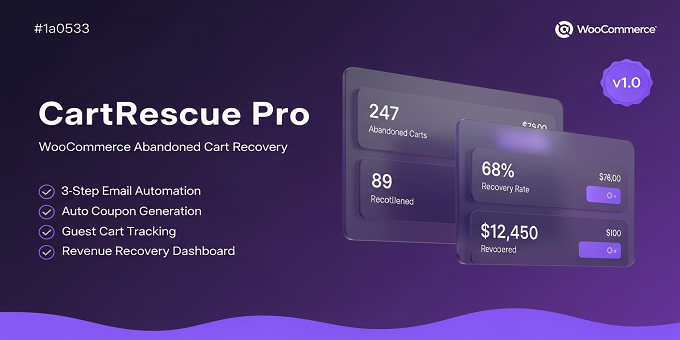
- ? Revenue Dashboard — At-a-glance stats: total abandoned carts, recovered carts, recovery rate %, and total revenue recovered.
- ? CSV Export — Download abandoned or recovered cart data as a CSV for reporting, CRM imports, or custom analytics.
- ? One-Click Recovery Link — Each reminder email contains a secure, personalized link that restores the exact cart with one click.
- ✅ HPOS Compatible — Fully compatible with WooCommerce High-Performance Order Storage — future-proof for all stores.
- ? Smart Unsubscribe — Customers can opt out of reminders with one click — GDPR-friendly and compliant.
- ? Email Logs — Full log of every reminder sent, with per-step status, timestamps, and coupon codes.
- ? Fully Customizable Templates — Use any HTML email template with dynamic variables like {customer_name}, {cart_total}, {coupon_code}.
How It Works
- Customer adds items to their cart and leaves without purchasing.
- CartRescue Pro detects the abandoned cart after your configured timeout (default: 60 minutes).
- Email 1 is sent — a gentle reminder with a link back to their cart.
- Email 2 is sent (24 hours later) — creating urgency before the cart expires.
- Email 3 is sent (72 hours later) — a final attempt, optionally with an exclusive coupon.
- Customer clicks the link, cart is restored automatically, they complete the purchase.
- Cart is marked as Recovered and the revenue appears in your dashboard.
Requirements
- WordPress 6.0 or higher
- WooCommerce 7.0 or higher
- PHP 7.4 or higher (PHP 8.1+ recommended)
- WP-Cron enabled (or a real server cron job)
- MySQL 5.6 or higher
Installation
- Download the ZIP file from your CodeCanyon account.
- Go to WordPress Admin → Plugins → Add New → Upload Plugin.
- Select the ZIP and click Install Now, then Activate.
- Navigate to WooCommerce → CartRescue Pro → Settings to configure.
Full step-by-step instructions with screenshots are included in the documentation/index.html file inside the plugin ZIP.
Included in the Package
- ✅ CartRescue Pro plugin (ZIP, ready to install)
- ✅ Full HTML documentation
- ✅ 6 months free support via CodeCanyon
- ✅ Free future updates
Developer Friendly
CartRescue Pro provides action hooks and filters so developers can extend functionality without modifying core files:
woo_acr_cart_abandoned— fires when a cart is marked abandonedwoo_acr_cart_recovered— fires when a cart is recoveredwoo_acr_email_sent— fires after each reminder email is sentwoo_acr_coupon_argsfilter — modify coupon settings before creationwoo_acr_should_track_cartfilter — conditionally disable tracking
Support
We're committed to providing excellent support. Open a ticket on the CodeCanyon item page and we'll respond within 24–48 hours. Please include your WordPress version, WooCommerce version, PHP version, and a description of the issue.