
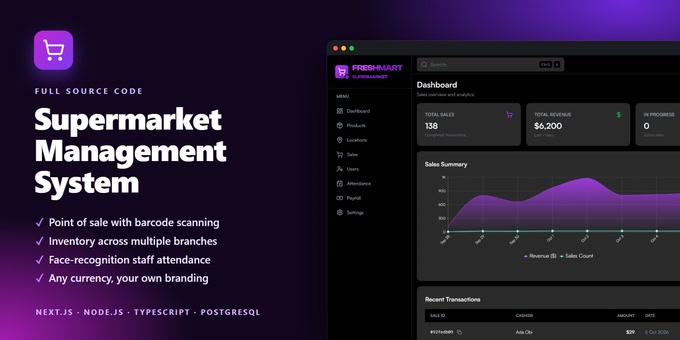
Run a whole supermarket from one screen. Supermarket Management System is a complete, self-hosted point of sale, inventory and staff attendance application with full source code, built with Next.js, Node.js, TypeScript and PostgreSQL.
Cashiers ring up sales with a barcode scanner and print or download receipts. Stock updates with every sale, and managers are emailed before products run out. Each branch has its own staff and stock, and the dashboard shows revenue, sales trends and top categories by branch and period.
Staff attendance uses face recognition: a manager registers a staff member's face once, and from then on they check in and out with a face scan on their own screen. Managers approve the hours and export them to CSV or PDF.
Features
- Point of sale with barcode scanning, hold and resume, and printable or PDF receipts
- Product and stock management with SKUs, barcodes, cost and selling prices
- Low-stock email alerts
- Multiple branches, each with its own staff and stock
- Three roles with separate sign-ins: administrator, manager and cashier
- Staff attendance with face-recognition check-in and check-out
- Manager approval of attendance, with CSV and PDF export
- Sales dashboard with revenue, trends and top categories
- Your own branding: business name, logo and details on the app, receipts and emails
- Any currency, chosen in Settings and applied to every price, receipt and report
- Light and dark mode, responsive layout and a quick search palette
- One-command interactive setup and optional sample data
- Automated API tests included
Requirements
- A server, VPS or computer that can run Node.js 18 or newer (not PHP-only shared hosting)
- PostgreSQL 12 or newer
- A free Cloudinary account for image uploads
- A Gmail account with an App Password for sending emails
- A webcam on devices used for face check-in, served over HTTPS or localhost
Setup
- Unzip the download and run npm install in the source folder.
- Create an empty PostgreSQL database and fill in the example environment files.
- Run npm run setup. It creates the tables and asks for your business details, currency, first branch and administrator account.
- Start the backend and the frontend, then sign in at /admin/login.
Full step-by-step documentation is included in the documentation folder of the download.
Good to know
- Payroll is not included. The Payroll menu item is a placeholder for a future update.
- Changing the currency changes how prices are displayed. It does not convert prices already entered.
