
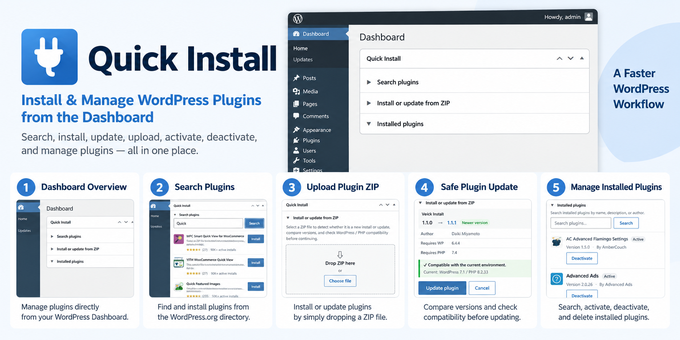
Quick Install brings WordPress plugin installation and management directly to the Dashboard.
Search the WordPress.org plugin directory, install and activate plugins, upload ZIP files, safely update existing plugins, and manage installed plugins without repeatedly moving between admin screens.
Main Features
- Search the WordPress.org plugin directory from the Dashboard
- Install and activate plugins from the same screen
- Upload plugin ZIP files with drag and drop
- Install or update plugins from ZIP files without a page transition
- Compare installed and uploaded versions before overwriting
- Detect same-version overwrites and downgrades
- Check WordPress and PHP compatibility before ZIP installation or update
- Preserve the active state when updating an active plugin
- Prevent accidental overwrite of a different plugin using the same folder name
- Search installed plugins by name, description, or author
- Activate and deactivate installed plugins
- Delete inactive plugins after explicit confirmation
- Remember the open/closed state of dashboard sections per user
Requirements
- WordPress 6.4.4 or later
- PHP 7.4 or later
- Tested up to WordPress 7.0
Languages
- English
- Japanese
- German
- French
- Spanish
- Simplified Chinese
- Korean
Quick Install is designed for users who frequently install, test, update, or manage WordPress plugins and want to reduce unnecessary navigation inside the WordPress admin area.
$9


0
Comments
| Created | 15 Sep 2026 |
| Compatible Browsers | Firefox, Chrome, Edge |
| Package Includes | JavaScript JS, JavaScript JSON, CSS, PHP |
| File Size | 74 KB |
© All Rights Reserved DaikiMiyamoto
Report This File
Report This File

