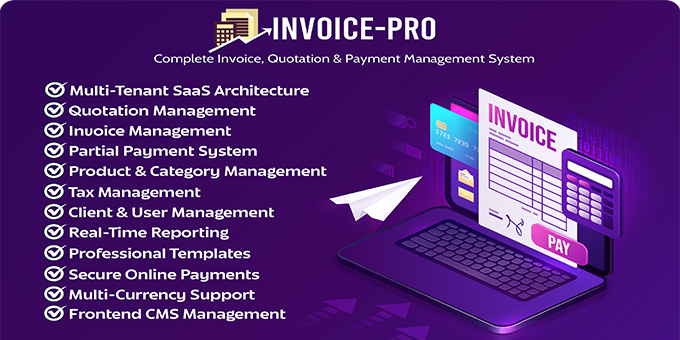
Invoice Pro is a feature-rich SaaS-based invoicing and billing solution designed to empower freelancers, agencies, and businesses to manage their finances efficiently. Built with a multi-tenant architecture, it supports customizable invoices, quotations, client portals, online payments, and subscription plans.
This document provides a comprehensive overview of all key features and modules for Super Admin, Admins, and Clients.
✅ Key Features of Invoice Pro (SaaS)
- Multi-Tenant SaaS Architecture Isolated environments for each business admin with independent data, subscription-based access, and usage tracking.
- Multi-Language Support 9+ language options available. All content is fully translatable for a global audience.
- Multi-Currency Support Define multiple currencies with customizable formatting: symbol, position, decimal, and thousand separators.
- Invoice Management Create professional invoices with tax, discounts, payment status (draft, unpaid, partial, paid), and due dates.
- Quotation System Send detailed quotations to clients, track acceptance/rejection, and convert quotes into invoices in one click.
- Partial Payment System Allow clients to pay invoices in parts. The balance updates in real time until fully paid.
- Client & User Management Admins manage clients, Super Admins manage tenants (business accounts), with full control over access and usage.
- Product & Category Management Organize your offerings with detailed product listings and logical categories.
- Tax Management Add multiple tax types like VAT, GST, IGST with different percentages.
- Email Notification System Real-time notifications for invoice events, payments, due reminders, quotation responses, and subscription alerts.
- Real-Time Reporting Beautiful dashboards and exportable reports help visualize earnings, payments, and system usage.
- Frontend CMS Management Built-in content management system for the landing page, FAQs, pricing sections, testimonials, etc.
- Professional Templates Custom-branded invoice and quotation templates for printing and PDF export.
- Secure Online Payments Integrated with Stripe and PayPal (sandbox/live modes supported) for smooth and secure payment flows.
- Due Date Notifications Automatic reminders before invoice due dates sent to clients and admins.
Direct Demo Link: https://invoicepro.skitbd.com/
login Details:
| Super Admin | superadmin@test.com | 123456 |
| Admin | admin@test.com | 123456 |
| Client | client@test.com | 123456 |
?? Super Admin Panel Features
The Super Admin oversees the entire platform and manages tenants (admins), billing, and frontend content.
- Dashboard Overview
Track total tenants, transactions, active subscriptions, system-wide revenue, and plan usage. - User (Tenant) Management
View, approve, suspend or delete registered business users. See their activity and usage history. - Subscription Plan Management
Create/edit/delete monthly/yearly subscription packages with feature limits and pricing. - Global Transactions Viewer
List of all tenant payments, filtered by user, date, amount, or gateway. - Payment Gateway Configuration
Enable/disable Stripe or PayPal, manage credentials, and toggle between live/sandbox mode. - Frontend CMS
Edit the landing page, about us, features, pricing table, FAQs, and SEO metadata. - Enquiries Management
Handle contact form submissions and communicate with potential clients. - System Settings
Control branding (logo, favicon), company info, language, timezone, and global currency. - Real-Time Reports
Downloadable (PDF/CSV) insights into system revenue, user behavior, and engagement. - Email & Notification Settings
Configure default email templates, notification policies, and reminders.
?? Admin Panel Features
The Admin represents a business tenant who handles invoice operations, client management, and product/service setup.
- Dashboard Overview
Revenue charts, pending/paid invoice stats, due reminders, and quick shortcuts. - Client Management
Add/edit clients, assign invoices or quotations, and view transaction history. - Product Category Management
Create and manage categories for organizing items/services. - Product Management
Define product name, description, price, category, and image. - Tax Management
Add various tax types with percentage values (e.g., GST, VAT, IGST). - Invoice Management
Create invoices, apply taxes/discounts, set due dates, send to clients, print or download as PDF. - Quotation Management
Send quotations to clients, track status, and convert to invoice upon approval. - Partial Payment Management
Allow and manage partial invoice payments from clients. - Transaction Logs
View detailed invoice payment history, including method, amount, and date. - Company Settings
Set company name, address, contact info, logo, invoice template style, and default currency. - Email Notifications
Configure alerts for new invoice creation, quotation responses, payments, and reminders.
? Client Panel Features
Clients can log in to view their billing history, download invoices, and make payments.
- Client Dashboard
Overview of paid/unpaid invoices, pending quotations, and transaction history. - Invoice Management
View, print, download invoices and make payments online (full or partial). - Partial Payments
Choose to pay partially and track outstanding balance per invoice. - Quotation Viewer
View received quotations, accept or reject them with comments. - Payment History
Review all payments made, with downloadable receipts. - Email Notifications
Auto email reminders for upcoming due dates, unpaid invoices, and new quotes.
? Roles & Access Levels
|
Role |
Description |
|---|---|
|
Super Admin |
Full access to all tenants, plans, billing, and system settings |
|
Admin |
Manages clients, invoices, products, quotes, and receives payments |
|
Client |
Can view and pay invoices, view quotes, and receive reminders |
Full documentation and installation instructions are included in the main ZIP file.