
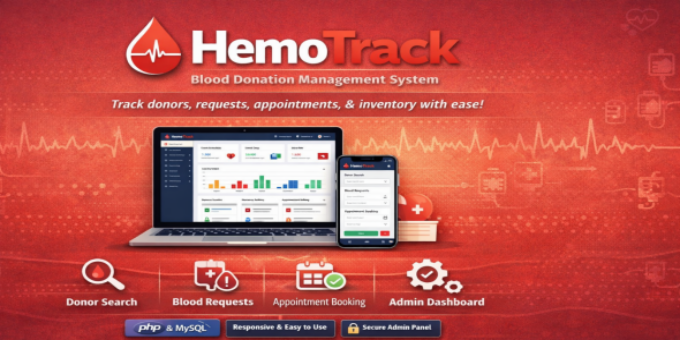
HemoTrack is a PHP/MySQL web application designed to manage blood donation operations. It includes donor search, blood request handling, appointment booking, newsletter subscriptions, and a comprehensive admin panel for managing donors, inventory, FAQs, blogs, and more. Admins log in via the login.php page using credentials stored in admin_info (admin/admin) and access the dashboard at dashboard.php.For demo logins use: Username:admin Password:admin
In addition, HemoTrack provides a complete blood bank management workflow system with the following advanced features:
- Blood Collection Management:
Records blood donations linked to donors, including blood group, units collected, notes, and automatic expiry dates (42 days). Updates both theblood_unitsandblood_inventorytables while tracking collection status. - Testing & Screening:
Allows collected blood to be marked as safe or unsafe. Unsafe units are automatically removed from inventory. Maintains notes history and logs all testing results. - Storage & Inventory Management:
Provides real-time tracking of blood inventory by group, highlights low stock levels (less than 5 units), tracks last updated timestamps, and displays current stock along with units nearing expiry. - Expiry Management:
Automatically identifies near-expiry or expired blood units, allows marking them as expired, and deducts them from inventory accordingly. - Inventory Adjustment:
Supports manual stock adjustments (both addition and subtraction), including negative adjustments for damaged or unusable blood. Requires notes and prevents negative inventory using safe constraints. - Hospital Request Management:
Handles hospital blood requests with options to reserve and approve requests. Ensures sufficient inventory before reservation and prevents over-allocation. - Blood Issuing System:
Enables issuing blood to patients for approved or pending requests, updates request status to fulfilled, and logs issuance activities. - Transaction Logging System:
Maintains a centralized audit trail of all operations including registration, collection, testing, inventory updates, and issuing. Captures details such as stage, type, blood group, units, user, and notes. - Advanced Transaction Filtering:
Allows filtering transaction logs by stage, type, blood group, and date range for easy tracking and reporting. - Multi-Stage Workflow Interface:
Provides a tab-based navigation system covering all operational stages:
Donor Registration, Blood Collection, Testing & Screening, Storage & Inventory, Inventory Adjustment, Hospital Requests, Issue to Patient, and Transaction Logs. - Status Tracking System:
Tracks the full lifecycle of blood units:
collected → testing → safe/unsafe → stored → reserved → issued / expired - Data Validation & Error Handling:
Ensures input validation (e.g., required fields, positive units), displays success/error messages, and prevents invalid operations. - Relational Data Management:
Maintains structured relationships between donors, blood units, transactions, and requests for consistency and traceability.
Features:
- Donor search by city/blood group
- Emergency blood alert notifications
- Newsletter subscription system
- Appointment booking workflow
- Admin management: donors, inventory, requests, blogs, FAQs, testimonials, gallery
- Blog creation + image uploads
- FAQ management and public FAQ display
- Blood availability tracking
- Contact form + notifications
- Simple Bootstrap-based responsive UI
Requirements:
- PHP (recommended 7.4+ / 8.x)
- MySQL/MariaDB database
- Web server (Apache/IIS/Nginx)
- mysqli PHP extension enabled
- Writable upload directory (for images)
- Access to send email (if email notifications are used)
Instructions:
- Deploy the code into your web root (e.g., blood1).
- Import the database schema (e.g., blood_donation.sql).
- Configure conn.php with your MySQL credentials.
- Create an admin account in admin_info (username/password) or use existing credentials.
- Visit login.php, log in, and use the dashboard to manage donors, inventory, blogs, etc.
- Use the public pages (home.php, faq.php, blog.php, search_donor.php, etc.) for end-user access.
Appreciated on April 10th, 2026
